Explore Demo Markets
Study deterministic, synthetic daily data designed to make drawdowns, costs, and correlations visible.
Simulated data PyRun Quant
Python quant research · iPhone + iPad
Explore financial data, test quantitative ideas, and understand every result directly in Python. PyRun Quant is built for research and education—not trading calls.
For research and educational purposes only. Not investment advice.
One transparent workflow
Start with fictional demo instruments, choose a research question, then open the exact Python behind the result. Nothing is hidden behind a strategy builder.
Study deterministic, synthetic daily data designed to make drawdowns, costs, and correlations visible.
Simulated dataTry five focused templates—from trend following to why look-ahead bias can turn a loser into a winner.
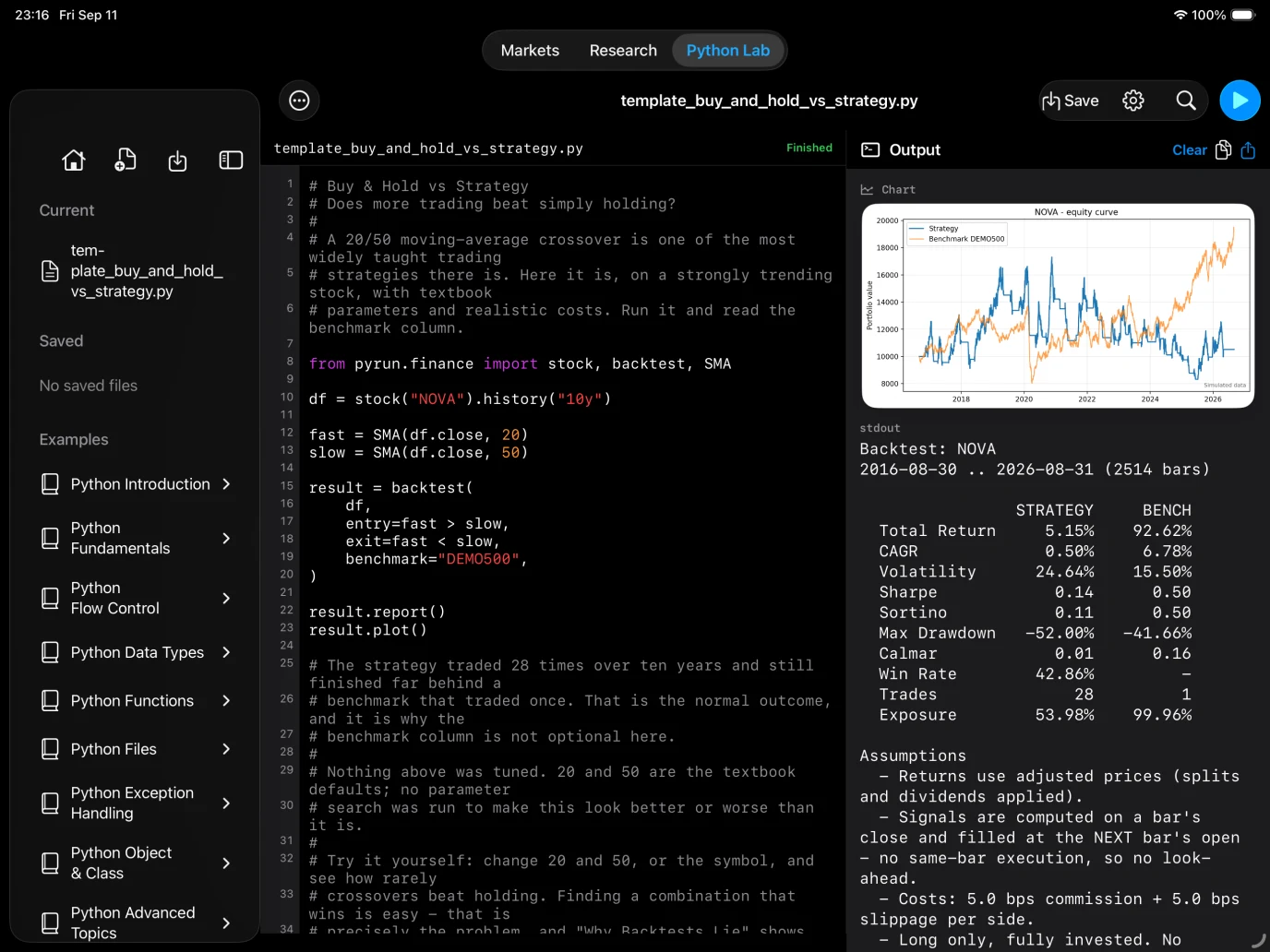
Edit ordinary pandas code, run it in the on-device CPython runtime, and inspect output, charts, and tracebacks.
Programmable by design
No miniature strategy language. Every dataset is a pandas DataFrame, every indicator is a Series, and every template remains yours to change.
from pyrun.finance import stock, backtest, SMA

df = stock("NOVA").history("10y")
fast = SMA(df.close, 20)
slow = SMA(df.close, 50)

result = backtest(
    df,
    entry=fast > slow,
    exit=fast < slow,
    benchmark="DEMO500",
)
result.report()
Honest by default
PyRun Quant does not tune the included templates to manufacture a flattering return. The benchmark and assumptions travel with every result.
Signals are formed at a bar’s close and filled at the next bar’s open. There is no switch that quietly introduces look-ahead bias.
Returns account for splits and dividends, so a corporate action is not misread as a market crash.
Commission and slippage are non-zero by default and visible in the assumptions.
A strategy result appears beside its benchmark, even when simply holding did better.
Built for Apple screens
Move from Markets to Research to Python Lab in one native workspace. Your code executes locally; the built-in Demo Market works without a network connection.
Research · backtest · understand